Tech Design Shapes Effective Reddit Marketing

Reddit is one of the most influential platforms on the internet today. With millions of active users and thousands of topic-based communities (called subreddits), it offers a unique space for brands and creators. But to succeed on Reddit, marketers need our go-to Reddit marketing partner and to combine smart strategies with well-designed technology. This includes tools, user experience, and how content is created and shared.

Understanding Reddit as a Platform

Reddit is a social news and discussion website. Users share content like articles, images, videos, and questions. Other users vote the content up or down. The most upvoted content rises to the top, which means that quality and timing matter.

Reddit is not like Facebook or Instagram. It values authenticity, useful content, and real conversations. Most users are wary of direct ads or obvious promotions. That’s why marketing here requires a softer, more community-driven approach.

Brands that succeed on Reddit know how to listen, join the conversation naturally, and use well-designed tools to track, manage, and improve their posts.

The Role of Technology Design

Technology design plays a key role in Reddit marketing. This includes:

  • Content creation tools: These help users design better visuals, write clear posts, or format text in Reddit-friendly ways (like using markdown).
  • Data tools: Platforms like Later for Reddit, GummySearch, or Reddit Metis help marketers find trending topics, keyword mentions, and audience behavior.
  • Automation tools: Bots can schedule posts, monitor subreddits for certain keywords, or reply based on triggers—but they must be used carefully to avoid spam.
  • User interface (UI) design: Whether it’s a mobile app or a website linking back to Reddit, having clean, fast-loading, and mobile-friendly pages helps improve engagement and credibility.

Good design helps marketers understand Reddit communities better and create content that fits naturally into discussions. It also makes it easier to track what’s working and what isn’t.

Best Practices for Reddit Marketing Using Tech Tools

Find the right subreddit

Every niche has a home on Reddit. Whether you’re in gaming, health, fashion, or tech, there’s a subreddit for that. Tools like RedditList or Subreddit Stats help you find active communities and analyze their posting habits.

Use listening tools

Reddit is a goldmine for market research. Tools like BrandMentions or Sprout Social allow you to track mentions of your brand or industry. This helps you spot opportunities to join discussions or respond to questions.

Create authentic content

Redditors value useful content. Share how-to guides, product breakdowns, or even behind-the-scenes stories. Use tools like Canva to create clean visuals or charts that match the subreddit’s tone. Avoid loud branding.

Use upvote timing tools

Tools like Later for Reddit or Delay for Reddit help you schedule posts at the best time—usually when your target subreddit is most active. Getting early upvotes improves visibility.

Respect Reddit’s rules

Each subreddit has its own posting rules. Some ban promotions, others require flair or a minimum karma level. Tech tools like RES (Reddit Enhancement Suite) can help you stay on top of this by offering notes and filters for each community.

Combining Design with Community Insight

Marketing on Reddit is not just about tech or design. It’s about combining both with a deep understanding of human behavior. Communities here can quickly tell if a brand is trying to manipulate the system. That’s why it’s important to:

  • Build your profile over time. Comment, upvote, and participate before posting anything branded.
  • Share useful tools or free resources without asking for anything in return.
  • Let Redditors lead the discussion. If you see a problem being talked about, offer help—don’t push a product.

Smart design supports this approach. Well-formatted posts, clear images, and fast-loading websites all help. So does the use of analytics to track what kind of posts resonate and what gets ignored.

Why Reddit Rewards Good Design and Strategy

Reddit doesn’t rely on flashy ads. It rewards posts that feel personal, helpful, and genuine. This makes design even more important. Whether it’s how your post looks, how your linked page loads, or how you reply to comments, every detail counts.

For example, a tech company sharing a product update should include a clear visual, a breakdown of what’s new, and an open invitation for feedback. A design tool brand might share free templates and ask users for input on how to improve them.

These small, well-designed touchpoints create trust. Over time, trust builds credibility, and credibility leads to conversions.
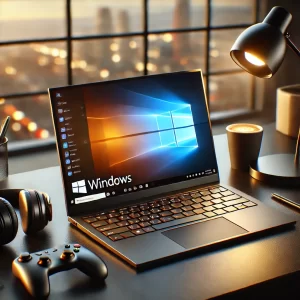
Windows 11 and Accessibility Features: Improving User Experience for All

Whether you have limited mobility, vision impairment, or any other disability, Windows 11 kaufen is designed to help make computing more accessible for everyone. By building in features like speech recognition, screen readers, and customizable accessibility settings, Microsoft has worked hard to ensure that their latest OS is not just sleek and modern, but also inclusive.

It’s clear that Microsoft understands how diverse user needs are, and the accessibility features in Windows 11 reflect this understanding. The operating system’s design has evolved to ensure that people with various disabilities can navigate their computers with ease and efficiency. These features don’t just provide basic accommodations; they actively enhance user experience, making Windows 11 not only functional but also intuitive for users with disabilities.

Voice Control: Commanding Your PC with Speech

One of the standout accessibility features in Windows 11 is the integration of speech recognition. Windows 11 comes with Voice Access, a tool that allows users to control nearly every aspect of their computer using just their voice. Whether you’re writing emails, launching apps, or managing your files, Voice Access enables you to navigate Windows without needing to touch a mouse or keyboard.

For users with limited mobility or those who prefer voice commands, this feature is a game-changer. It’s easy to activate, and once turned on, it allows full hands-free control of your PC. You can simply say things like “Open File Explorer,” “Scroll down,” or “Close window,” and Windows 11 responds accordingly.

This speech recognition technology is also useful for people who are learning English or struggle with traditional keyboard input. The voice commands can be personalized to suit the individual’s speaking style, making interactions smoother and more accurate.

Screen Reader: Turning Text into Speech

For users with vision impairment, Windows 11 includes a variety of features aimed at improving accessibility. One of the most important is the Narrator screen reader, which reads aloud the text displayed on the screen. This is incredibly useful for blind or low-vision users who need assistance with navigating through their tasks.

Narrator has been improved significantly in Windows 11, offering a more natural-sounding voice and greater functionality. It reads more than just the text; it can describe button names, icons, and even specific elements of web pages. This helps users understand the context of what’s on the screen, making it easier to interact with apps, websites, and files.

Additionally, Narrator works seamlessly with other applications like Microsoft Edge, Outlook, and many third-party apps. Whether you’re browsing the web, managing your calendar, or reading an email, Narrator provides a comprehensive solution for visually impaired users to engage with Windows 11’s features.

Magnifier: Zooming In for Better Visibility

Windows 11 also includes the Magnifier, a tool designed to help users with low vision. This tool allows users to zoom in on areas of the screen to make text and images more readable. Magnifier is especially helpful for individuals who have trouble reading small fonts or distinguishing details on a screen.

In addition to the traditional magnification mode, Windows 11 offers several display options to cater to different preferences. You can switch between a full-screen magnifier, a lens mode (where only a section of the screen is magnified), or a docked mode, where the magnifier stays in a fixed location on the screen. The ability to customize the size, shape, and level of zoom means users can adjust it to fit their specific needs.

Customization

One of the most powerful features of Windows 11’s accessibility options is how customizable the interface is. The operating system offers a wide range of adjustments to suit users with different preferences and abilities.

For example, Windows 11 includes high-contrast themes that make text stand out more clearly against the background. This is particularly helpful for users with visual impairments like color blindness or sensitivity to bright screens. The ability to change font sizes, adjust the screen’s brightness, or enable dark mode can all help make the interface easier to read and interact with.

Windows 11 also lets users adjust the cursor size, which is beneficial for people with motor impairments or those who simply need a larger pointer to navigate more easily. For users with difficulty typing, the on-screen keyboard provides an alternative to using a physical keyboard, and it’s fully customizable to match the user’s preferred input method.

Subtitles and Captions

For individuals with hearing impairments, Windows 11 has added improved subtitle and captioning options, making it easier to engage with multimedia content. Subtitles can be customized in a variety of ways, such as changing the size, color, and background of the text to enhance readability.

Whether you’re watching a video, streaming content, or using video conferencing apps like Microsoft Teams, these accessibility settings ensure that you can follow along with the audio. It’s a small but significant feature that shows how Windows 11 prioritizes inclusivity in every area of user experience.

A Unified Approach to Accessibility

Windows 11’s design prioritizes accessibility not as an afterthought but as an integral part of the operating system’s overall user experience. The easy-to-access settings, coupled with the powerful customization options, allow users to make their PC environment work for them, no matter their individual needs.

With these features, Microsoft demonstrates a commitment to creating an operating system that works for everyone. By removing barriers and providing tools for users with disabilities, Windows 11 ensures that technology remains an inclusive and empowering tool for all. Whether it’s through voice control, screen reading, or simple visual adjustments, Windows 11 is a step forward in making computing a more accessible experience for everyone.